My Small Home Server
Given my strong desire to experiment and tinker with all kinds of technology, I decided to use a mini PC and turn it into a home server.
Let’s start with the hardware:
- Raspberry Pi 4 Model B
- 1.5GHz 64-bit quad-core CPU
- 4GB RAM
- 64GB MicroSD
- Raspberry Pi OS
Everything is enclosed inside a small case with mini heatsinks and a fan that cools the CPU whenever it exceeds 65 degrees Celsius.
What Is It Used For?
Initially, I bought this small computer to experiment with open-source and self-hosted tools. Below are some of the software solutions I installed on it.
Docker & Portainer
To manage all my services in a simple and organized way, I installed these two tools, which allow me to containerize applications using Docker and manage them easily through a graphical interface thanks to Portainer.
Pi-hole
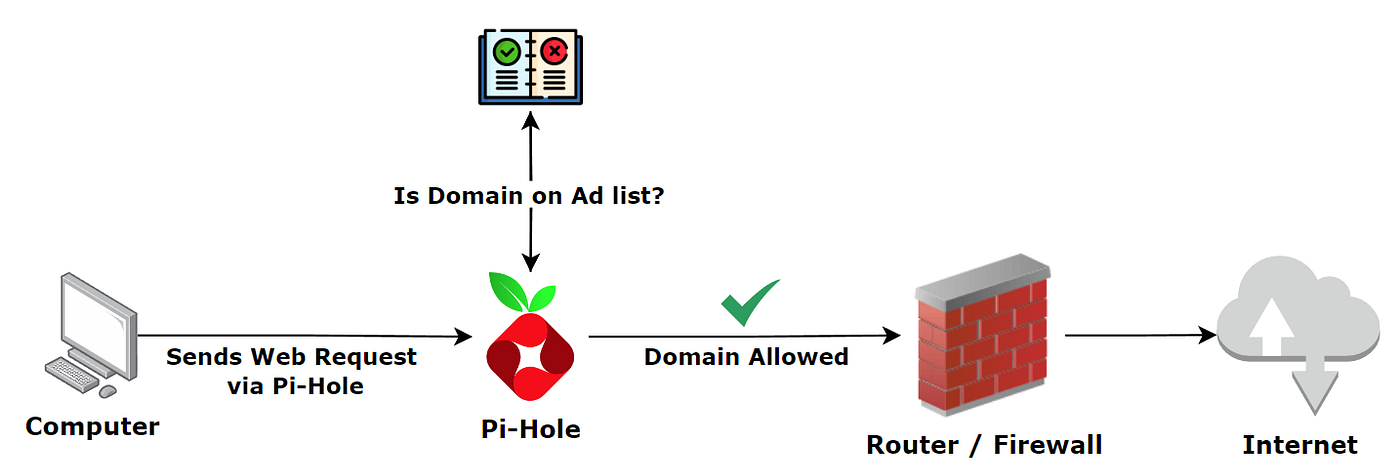
As my very first tool, I installed Pi-hole, an open-source software that acts as a DNS (Domain Name System) server capable of filtering internet traffic and blocking advertisements such as pop-ups, ads, and trackers.
Below is a small example showing how it actually works:
Plex
A software solution that allows you to transform your personal computer into a multimedia server, similar to Netflix.
You can upload any type of media content, such as videos, music, and much more.
Personally, I use it to watch movies and TV shows downloaded from the web, since it allows me to stream them from any device, even outside my home network.
Alternatively, it is possible to subscribe to a monthly or yearly plan, which provides access to additional streaming services offered directly by Plex.
WireGuard
It is a software that allows the creation of a VPN tunnel, enabling me to securely and quickly connect to my home network from any device.
This way, if any issues occur with my services or other network components, I can remotely access them and understand what is happening, as long as there are no connectivity problems.
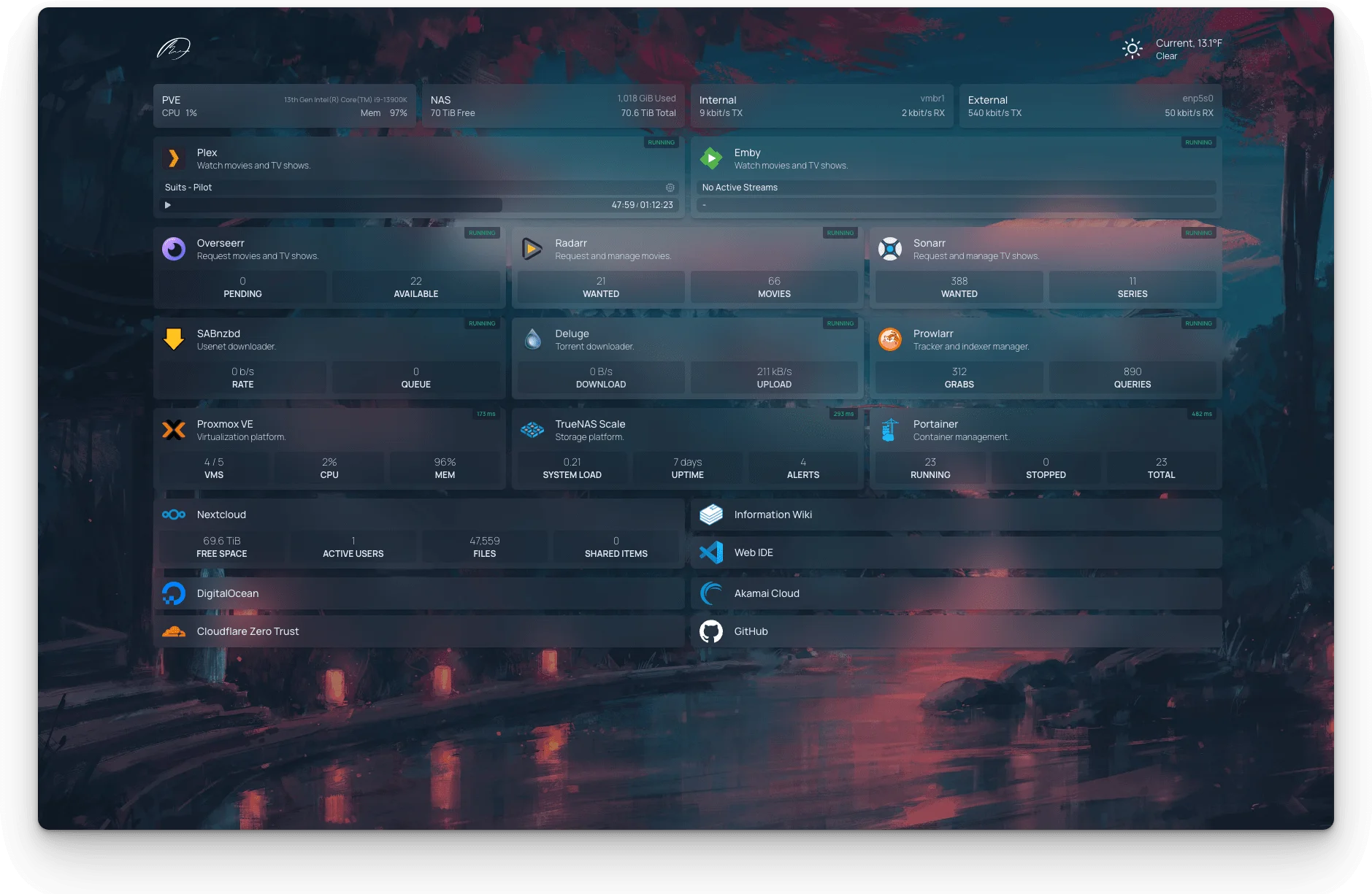
All these services can be accessed within my local network through another application that groups them into a single interface, called Homepage.
Here is an image for illustrative purposes showing what it looks like: